An extra monitor has an unfortunate habit of becoming an extra place for work to pile up. Emails on the left. Messages on the right. A document stretched between the two. By lunchtime you're sitting in front of a small airport control room, except nobody has brought you a uniform or a decent sandwich.
But a second screen can also be a window. It can hold something that moves quietly without demanding a response: fish, a forest, a view from someone else's apartment, a live animal camera. There's no rule that every pixel has to be doing a job.
These seven browser experiences are lovely ways to give a second monitor a little life. Some are made to sit in the background; others are interactive and better treated as something to visit during a break. The important distinction is whether the display feels like company or like another task calling your name.
Choose your view
| View | Website | What happens |
|---|---|---|
| An aquarium that quietly carries on | Polyquarium | Living creatures, without a video loop |
| A cosy Calphii world | Calphii | Moving scenery, Garden, Pixel Pet, music and ambience beside your work |
| A window into actual wildlife | Explore.org Livecams | Bears, birds, reefs and wild places, live |
| An endless road through somewhere peaceful | Slow Roads | Procedural scenery with an optional automatic drive |
| The real weather moving around Earth | earth.nullschool.net | Global wind, ocean currents and weather maps |
| Borrow a real window in another country | WindowSwap | Ordinary windows filmed by people around the world |
| A turning globe of other people's radio | Radio Garden | Real stations around the world, chosen from a globe |
01 / 07 · Living creatures, without a video loop
An aquarium that quietly carries on
What is on screenLiving creatures, without a video loop
Where to find itPolyquarium
Visit Polyquarium ↗An aquarium is a near-perfect second-monitor idea because there is always something happening and almost nothing demanding your attention. Stephen Younts' Polyquarium gives you a little freshwater tank in your browser, with fish drifting among plants, a pearl gourami and a crab who has his own business along the bottom.
You can choose how many fish are swimming, slow them down, switch the lighting between day and night and hide the interface with Immerse. Feeding is an optional little pleasure. A tap and the fish gather; after a while they spread out again. It's a living scene rather than a looping clip with the same movement every thirty seconds.
For a workday, I'd start with a low swim speed and a modest number of fish. If you want more choices, our browser aquarium guide also includes hands-on fish tanks, drawing aquariums and simple fullscreen screensavers.
02 / 07 · Your own little world on the spare screen
A cosy Calphii world
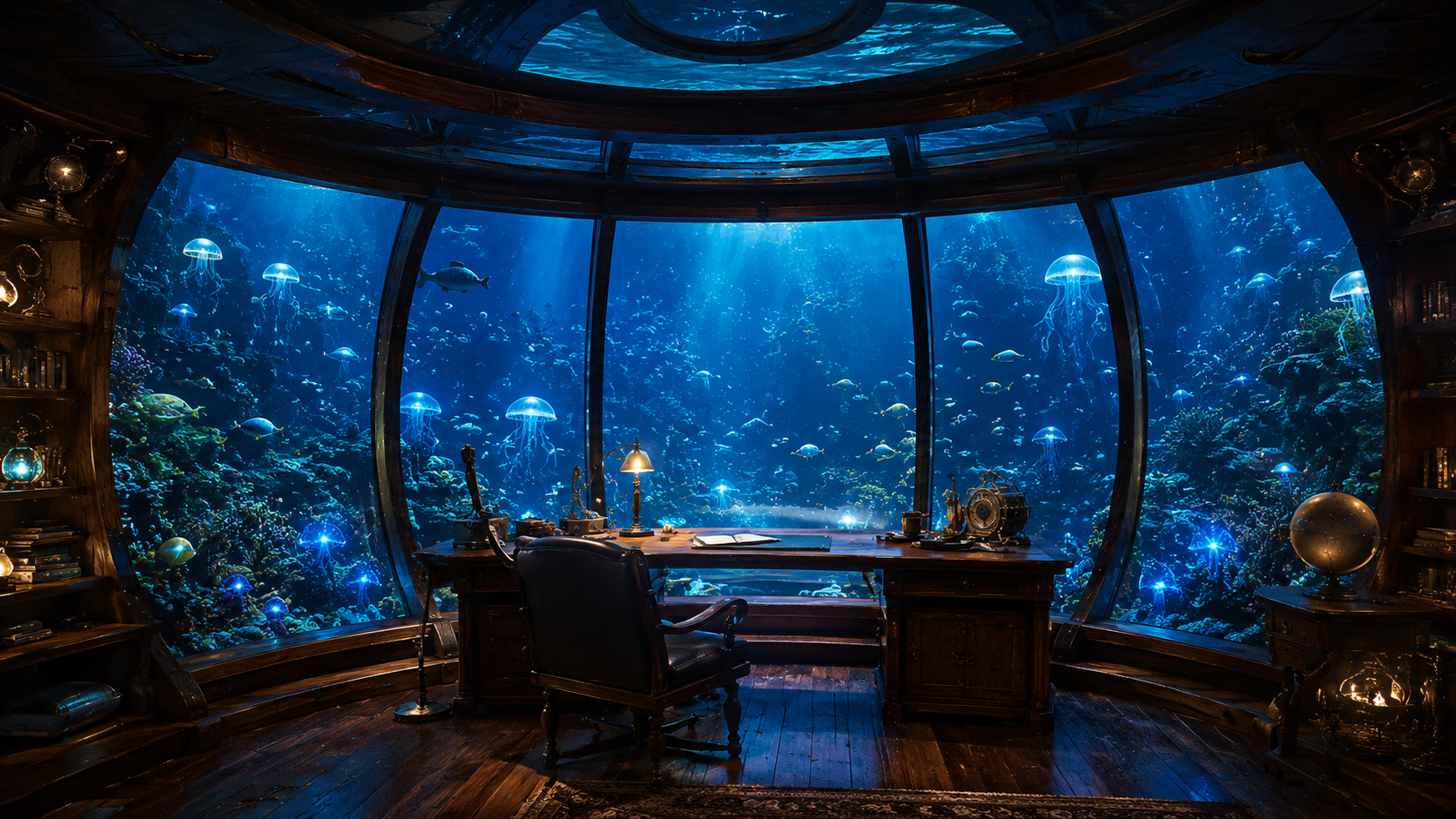
A second monitor can do more than run a looping video. Calphii lets you make your own small screen-world, with a scene from its background collection and little things happening among the widgets. Jelly, the floating Pixel Pet, can move between them, while the Garden quietly grows over time.
Choose something gentle such as Rainy Apartment Vibes, or give yourself a brighter landscape. You can leave the scenery and ambience running while keeping notes, a timer or a task board nearby. It's a lovely choice if you'd like a second screen that still feels like yours when you glance over, rather than a picture borrowed from somewhere else.
03 / 07 · Bears, birds, reefs and wild places, live
A window into actual wildlife

What is on screenBears, birds, reefs and wild places, live
Where to find itExplore.org Livecams
Visit Explore.org Livecams ↗Explore.org has a remarkable library of live nature cameras. One screen might look out across Brooks Falls while brown bears watch for salmon. Another might be fixed on a bird nesting site, an underwater reef or elephants moving through a park. The pleasure is in not knowing what, if anything, will happen in the next few minutes.
It's a strangely generous way to use an extra screen. For a long stretch there may be nothing but water. Then an animal wanders into view and your ordinary afternoon has unexpectedly acquired a small story. The site's current collection includes bear cameras, whale-related feeds, rescue sanctuaries, birds and other locations, although a particular feed may switch to highlights outside its live season.
A wildlife cam makes a fine companion for quiet desk work because it doesn't need a plot, a playlist or your hands. Choose one with a steady view rather than the busiest possible scene, and simply let nature come and go.
04 / 07 · Procedural scenery with an optional automatic drive
An endless road through somewhere peaceful
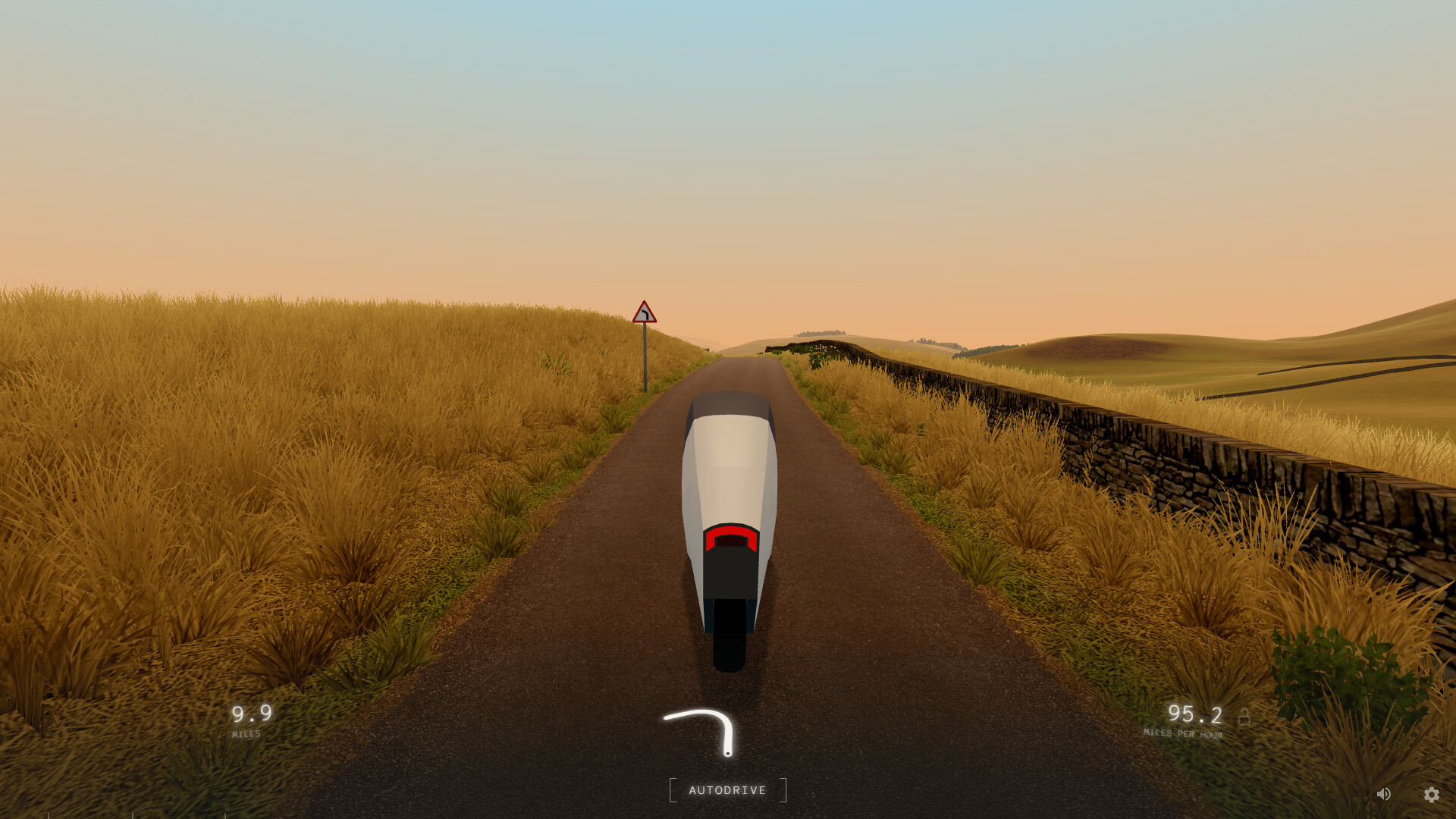
What is on screenProcedural scenery with an optional automatic drive
Where to find itSlow Roads
Visit Slow Roads ↗Slow Roads makes an unusual promise for a driving game: there is nowhere you need to arrive. Its browser version creates a road that keeps unspooling into new landscapes, through hills, fields and whatever weather you've chosen. You can drive, but the autodrive controls allow the journey to become a moving view rather than a task.
It has been developed over several years and its June 2026 update notes are full of small details that make a difference to the atmosphere, from the vehicle interiors to road and environment improvements. A separate, expanded Steam version exists, while the browser edition remains a free, more minimal journey.
Leave a quiet road on the side screen and work beside it for a while. Then, when you're ready for a break, take the wheel. It is one of the nicest transitions between a background scene and an actual little game.
05 / 07 · Global wind, ocean currents and weather maps
The real weather moving around Earth
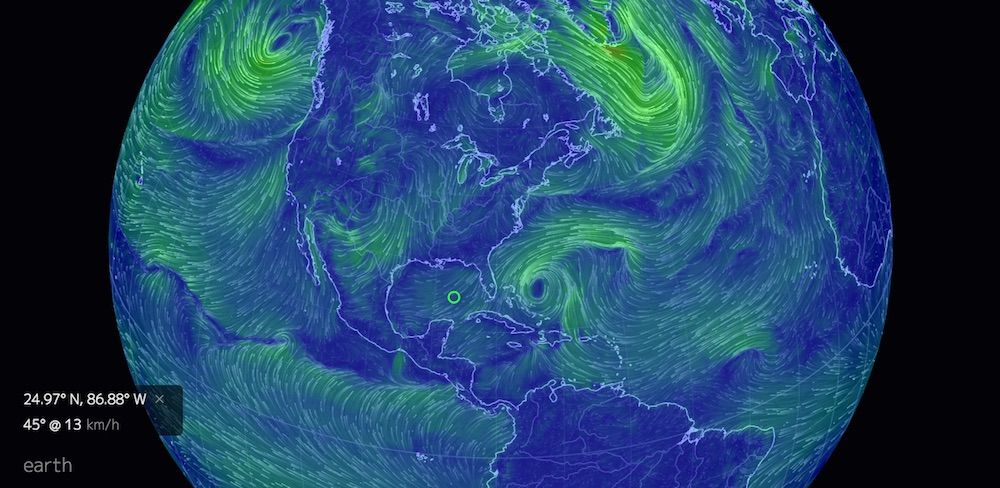
What is on screenGlobal wind, ocean currents and weather maps
Where to find itearth.nullschool.net
Visit earth.nullschool.net ↗At first it looks like a beautiful glowing globe. Then you notice the fine lines moving across it. Those are winds and currents represented over the actual Earth, an entire planet shifting at its own pace while you answer emails or work on something rather more local.
Cameron Beccario's Earth visualisation has modes for air, ocean, atmospheric chemistry and other datasets, with different overlays and projections. You can follow wind around a storm system, turn to ocean currents or simply leave the moving paths to draw delicate shapes across the display.
For a second monitor, I prefer keeping one view on screen instead of repeatedly investigating every layer. It becomes both a reminder of how vast the world is and a strangely beautiful bit of data art. There are practical maps for forecasting elsewhere; this one makes the movement visible.
06 / 07 · Ordinary windows filmed by people around the world
Borrow a real window in another country

What is on screenOrdinary windows filmed by people around the world
Where to find itWindowSwap
Visit WindowSwap ↗WindowSwap feels like visiting a friend who lives somewhere you've never been. Press the button and a recorded view appears from somebody's window: a balcony, a little lane, a garden, traffic moving past a street, or a quiet glimpse of weather on the other side of the world.
The best thing about it is how little it tries to entertain. These aren't necessarily views that anybody would put on a travel poster. They're ordinary pieces of other people's days, and that gives them a kind of tenderness that a polished animation sometimes misses.
It also makes a lovely second-screen companion for work that otherwise feels a little too solitary. Choose a scene, let it stay, and perhaps the sound of a faraway place will do more for the afternoon than another productivity playlist.
07 / 07 · Real stations around the world, chosen from a globe
A turning globe of other people's radio
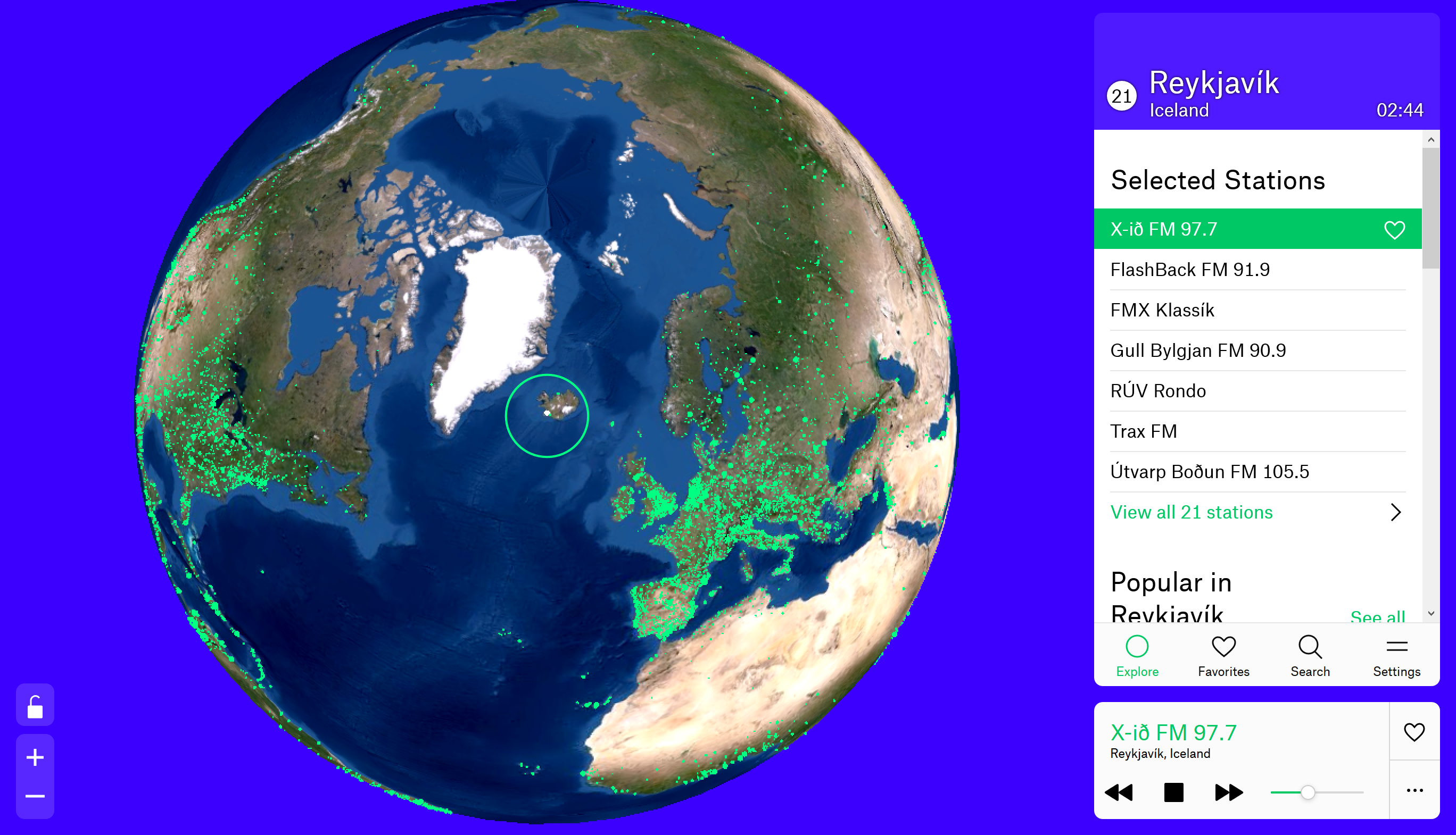
What is on screenReal stations around the world, chosen from a globe
Where to find itRadio Garden
Visit Radio Garden ↗Radio Garden lets you spin the world and listen to actual stations broadcasting from the places you pass. A town you've never heard of might have three little green dots of musical life. Somewhere across the ocean, a presenter is speaking as the sun rises and your afternoon is about to end.
This is primarily a sound experience, but the globe itself adds an enormous amount. You can see where the music comes from, choose a city and leave that little point of the world playing while you get back to work. Instead of a platform recommending something because you listened to it yesterday, the geography makes the decision.
A good choice for a second display if you like the company of distant voices and don't mind occasionally hearing a language or song you don't recognise. If you're deep in writing and lyrics pull your attention away, look for an instrumental station or save radio for the less demanding hours.
Give Calphii the second screen
A digital room, not another dashboard
Keep your own little world nearby.
If you'd rather create one consistent place instead of changing tabs, Calphii is a browser workspace you can move onto a spare display. Choose one of the built-in backgrounds, keep the Garden open as a small growing forest, and let Jelly float between the visible widgets.
You can add ambient rain or music in the Media Player, and keep Deep Focus, notes or the task board where they are useful. Move or minimise the pieces you don't need. The point isn't to fill a second monitor with a productivity dashboard; it's to make the screen a pleasant place that can still help you get something done. For a more practical dual-screen study arrangement, our second monitor study setup guide has three layouts for different kinds of work.
There are even backgrounds like Rainy Apartment Vibes and an underwater jellyfish workspace scene in the app's theme library. Those are Calphii scenes, not operating-system wallpapers. They live inside the browser room that you arrange.
 Jelly
Jelly OG Jelly
A spare screen should be allowed to be quiet
Choose a scene with movement that's easy to ignore. A close-up of feeding fish may pull your eyes over every few seconds; a slower aquarium can become a gentle wash of colour. Live wildlife cams have the same quality. An empty patch of forest is sometimes exactly what you need on a busy afternoon.
Be thoughtful about the sound, too. Two monitors playing two sources of audio can make the desk feel louder rather than more inhabited. Choose the sound you want to anchor the room, then let the visual on the other screen be silent if that works better.
If you have only one monitor, you can still create the feeling in a smaller window, an adjacent browser tab or by bringing up one of these experiences for a break. It's a good reminder that lovely digital spaces aren't reserved for people with matching triple-monitor setups and a desk larger than the kitchen table.
Sometimes the nicest view is the one you almost forget
What stays with me about these sites isn't the spectacle. It's the opposite: a bear pausing beside a river, an ordinary street seen from an apartment a thousand miles away, or a tiny school of fish turning together. The world continues even when you aren't paying attention. It's nice to have a little of that beside you.